The zooming dock for KDE Plasma 6
Krema is the spiritual successor to Latte Dock, built for KDE Plasma 6 and native to Wayland. It pairs parabolic zoom with live PipeWire window previews.
Same desktop, two bottom edges
Drag the handle across one Plasma 6 desktop. On the left is the panel a fresh Plasma 6.7 install starts with, redrawn from a capture. On the right is Krema with the same apps. Point at an icon on the Krema side and it grows.





Krema is the spiritual successor to Latte Dock, written from scratch for Plasma 6 with Qt 6, KDE Frameworks 6 and the Wayland layer shell. Both sides use Breeze Dark and KDE’s Breeze icons (LGPL-3.0). Firefox and its logo are trademarks of the Mozilla Foundation.
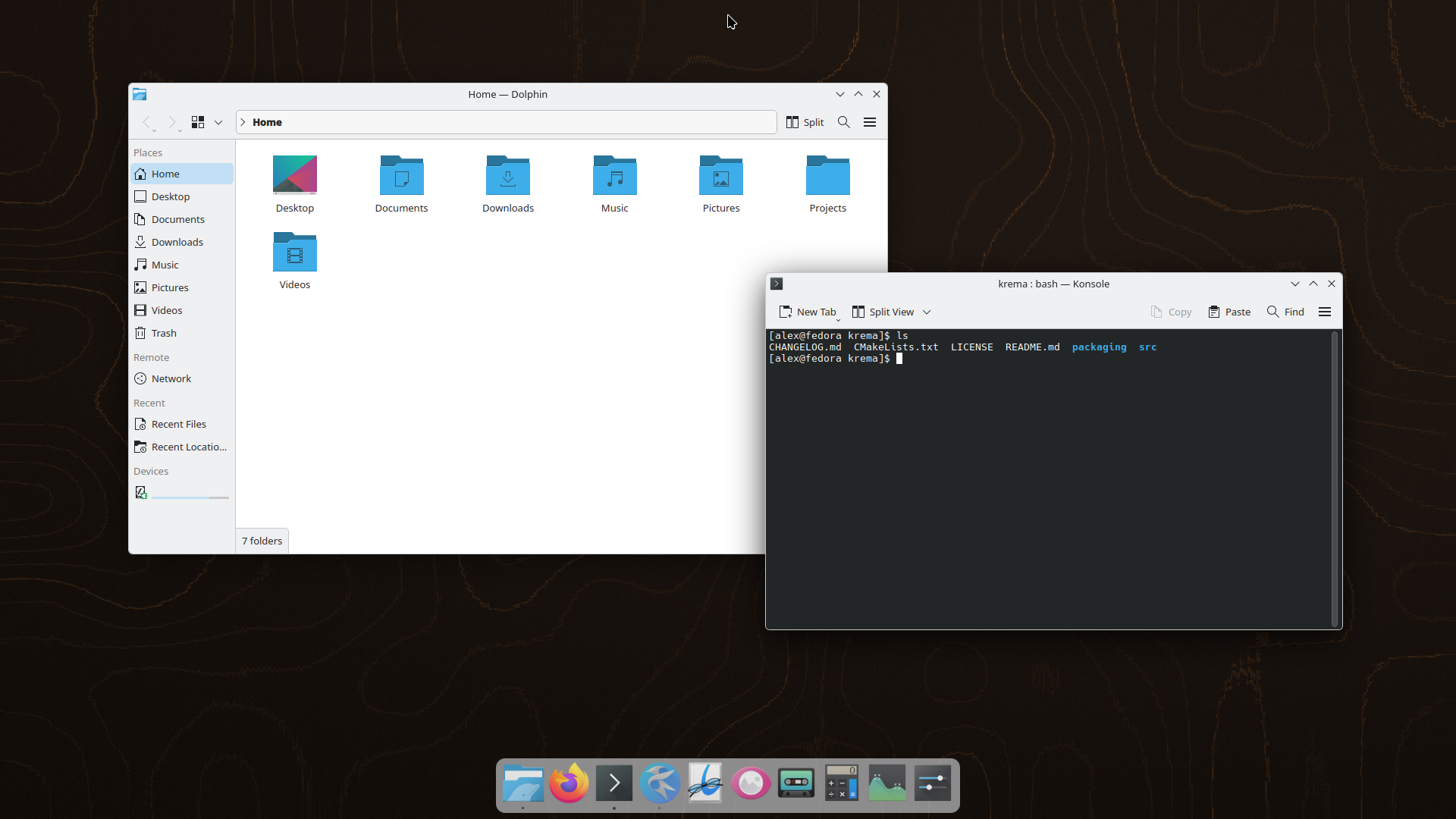
The dock in motion
Try the settings
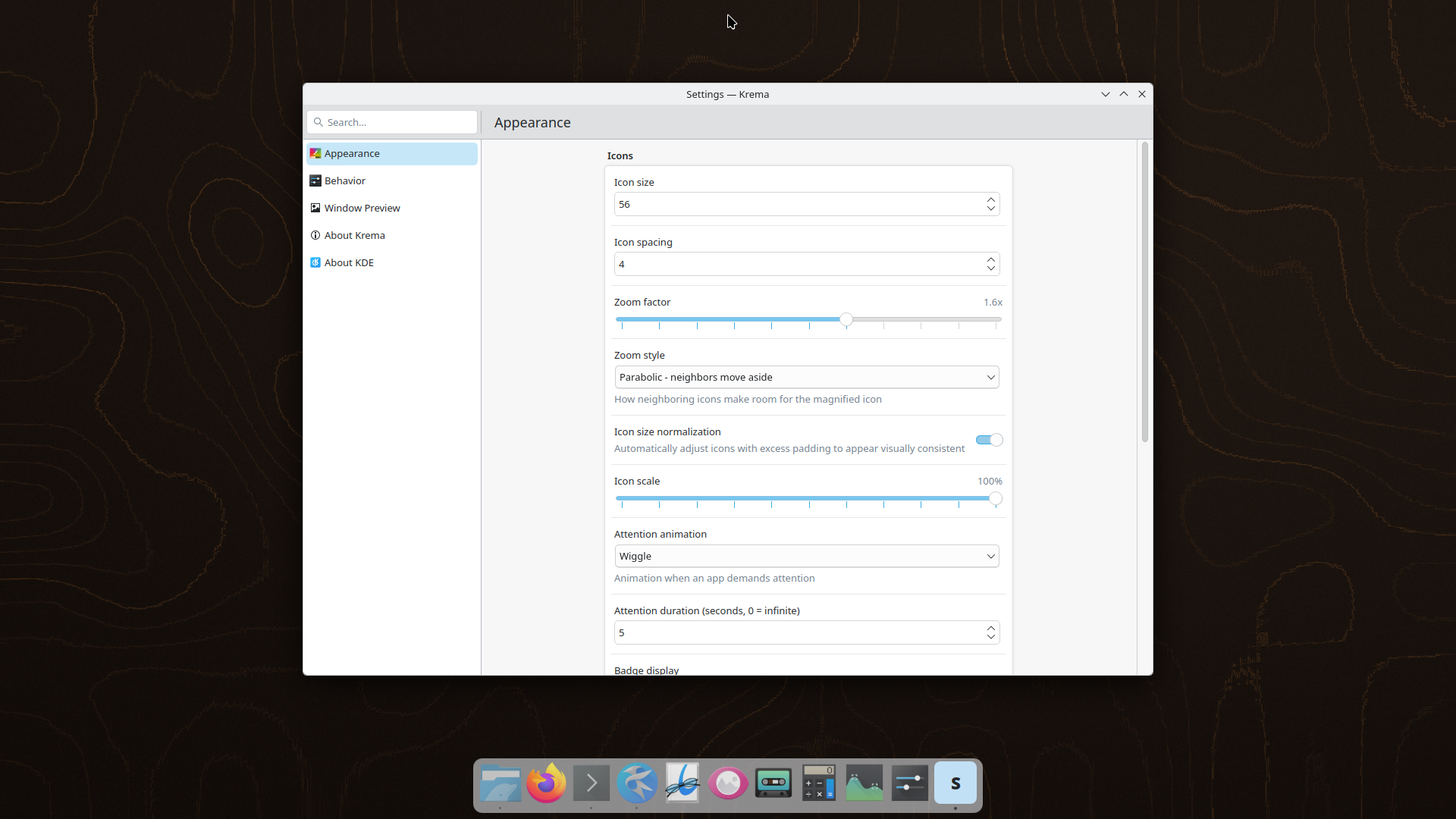
This is a demo drawn by the page, not the app. Settings keep the names they have in Krema, where they sit on three pages: Appearance, Behavior and Window Preview. Here they are grouped by topic, with a few buttons that act out what the dock does.
Appearance
Icons grow under the pointer and settle as it leaves. At 1.0× they stay still.
How big icons are before they zoom.
Krema detects padding built into icon themes and rescales, so icons line up.
Behavior
Pinned apps stay in place and a dot marks each open one. Scroll over an app to step through its windows.
Slide a window down onto the dock to see what Auto hide and Dodge windows do.
Window Preview
See the window before you switch to it. All of an app’s windows sit side by side in one popup.
Hover an app to see its windows as live thumbnails, captured through PipeWire on the GPU.
Click a thumbnail to raise that window.
Close a window from its thumbnail.
Attention
A calm dock that still tells you when something needs you. Long jobs, like a Dolphin file copy, draw a progress bar on the icon.
6 styles for an app that needs you: bounce, wiggle, pulse, glow, dot color or blink.
Seconds before the animation stops. 0 means no limit.
A Plasma setting, not a Krema one. While it is on, attention animations stay quiet and badges still show.
Have Discover send a notification and see the animation you picked.
Screens
One dock, many screens, each set up its own way.
Plasma and accessibility
Built with Kirigami, KConfig, KColorScheme and KGlobalAccel. It starts with your session.
Reorder icons, drop files onto apps, or drag in a .desktop file to add a launcher.
Drag icons in the preview, or use the arrow keys here.
Every item works without a mouse. AT-SPI exposes the dock to screen readers.
Shortcuts
KGlobalAccel holds them, so they work from any window.
| Shortcut | Action |
|---|---|
| Meta + ` | Show or hide the dock |
| Meta + 1 to 9 | Activate the app in that slot |
| Meta + Shift + 1 to 9 | Open a new instance of it |
| Meta + F5 | Move keyboard focus into the dock |
Press a shortcut here to try it in the preview.
Install in two steps
-
Add the package
yay -S kremaArch Linux and Manjaro, from the AUR.
paru -S kremaworks too.sudo dnf copr enable isac322/krema sudo dnf install kremaFedora 42, 43, 44 and Rawhide, from COPR.
sudo add-apt-repository ppa:isac322/krema sudo apt update sudo apt install kremaUbuntu 25.10 and 26.04, from the Launchpad PPA. On 25.04, use the OBS repository.
sudo zypper addrepo https://download.opensuse.org/repositories/home:isac322/openSUSE_Tumbleweed/home:isac322.repo sudo zypper refresh sudo zypper install kremaThis is for Tumbleweed. On Slowroll or Leap 16.0, swap
openSUSE_TumbleweedforopenSUSE_SlowrolloropenSUSE_Leap_16.0.echo 'deb http://download.opensuse.org/repositories/home:/isac322/Debian_13/ /' | sudo tee /etc/apt/sources.list.d/krema.list curl -fsSL https://download.opensuse.org/repositories/home:isac322/Debian_13/Release.key | gpg --dearmor | sudo tee /etc/apt/trusted.gpg.d/home_isac322.gpg > /dev/null sudo apt update sudo apt install kremaDebian 13 (Trixie), from the Open Build Service.
git clone https://github.com/isac322/krema cd krema just configure just build just runNeeds C++23, Qt 6.8 or newer, KDE Frameworks 6 and CMake 3.22 or newer. The README lists every dependency.
-
Open Krema
Start Krema from the app launcher. From then on it starts with your session.
To change how it looks, right-click the dock and choose Settings.
Packages need Plasma 6.0 or newer and are built for x86_64 and aarch64 (Slowroll: x86_64 only).
Loading the latest stargazers…
A star is a vote: it tells GitHub to show Krema to Plasma users still looking for a Latte Dock successor.